How to Download VMware Workstation Pro on Windows 11 (2026 Guide)
If you're trying to download VMware Workstation Pro on Windows 11, you're in the right place. The good news is that VMware Workstation Pro is now completely free for personal use. However, the download process requires a free Broadcom account, and finding the right page can be confusing. This guide walks you through all three steps.
Step 1: Create a Free Broadcom Account
To download VMware Workstation Pro, you first need to create a free Broadcom account. Broadcom now owns VMware, which is why the download is hosted on their website.
Create your free Broadcom account hereStep 2: Sign In to Your Broadcom Account
After creating your account, sign in before going to the download page. If you skip this step, the download link won't work.
Sign in to your Broadcom account hereStep 3: Download VMware Workstation Pro
Now you're ready to download. Go to the VMware Workstation Pro download page, find the Windows section, and download the latest available version.
Go to the VMware Workstation Pro download pageInstall VMware Workstation Pro on Windows 11
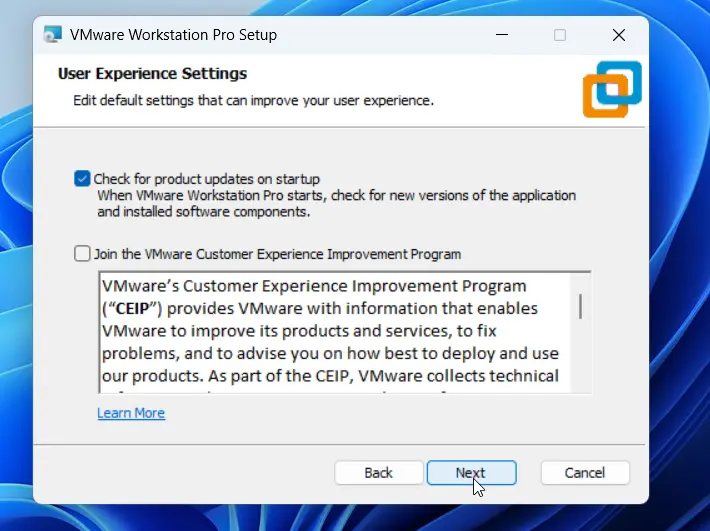
Once the download is complete, run the installer and follow the on-screen steps. The installation is straightforward — just click through the prompts and you'll be up and running in a few minutes.
What is VMware Workstation Pro?
VMware Workstation Pro is one of the most popular virtualization tools available. It lets you run multiple operating systems — like Linux or older versions of Windows — inside your Windows 11 PC, without needing a second computer.
Frequently Asked Questions
Is VMware Workstation Pro free? Yes. As of 2024, VMware Workstation Pro is free for personal use. You just need a free Broadcom account to download it.
Does VMware Workstation Pro work on Windows 11? Yes, VMware Workstation Pro is fully compatible with Windows 11.
Why do I need a Broadcom account? Broadcom acquired VMware in 2023. All VMware product downloads are now hosted on the Broadcom website, which requires a free account.
Conclusion
Downloading VMware Workstation Pro on Windows 11 is easy once you know the steps. Create your free Broadcom account, sign in, and download the latest version — it's completely free for personal use.
Watch the full video tutorial on our YouTube channel: RealClearComputing