How to Install Docker on Fedora 44 (Step-by-Step Guide)
In this guide, you'll learn how to install Docker Engine on Fedora 44. We'll cover three things — installing Docker Engine, configuring Docker to run without sudo, and running a test container to verify the installation.
Here is exactly what we are going to do in this guide:
How to Install Docker Engine on Fedora 44
To install Docker on Fedora 44, we'll run three commands in order.
The first command is optional. It will uninstall any previous or conflicting Docker versions if there are any on your system. Open your terminal and run the following:
sudo dnf remove docker \
                  docker-client \
                  docker-client-latest \
                  docker-common \
                  docker-latest \
                  docker-latest-logrotate \
                  docker-logrotate \
                  docker-selinux \
                  docker-engine-selinux \
                  docker-engine
Next, we will run the second command to download the official Docker installation script:
curl -fsSL https://get.docker.com -o get-docker.shNow, we will run the third command to execute the script and complete the installation:
sudo sh get-docker.shVerify the Installation and Service Status
Once the installation script finishes, we will run the docker version command to check the exact Docker version installed on this computer:
sudo docker versionRun the systemctl status command to check if the Docker service is running:
sudo systemctl status dockerIn the output, you should see:
- enabled — Docker will start automatically when the system reboots
- active (running) — the Docker service is currently running
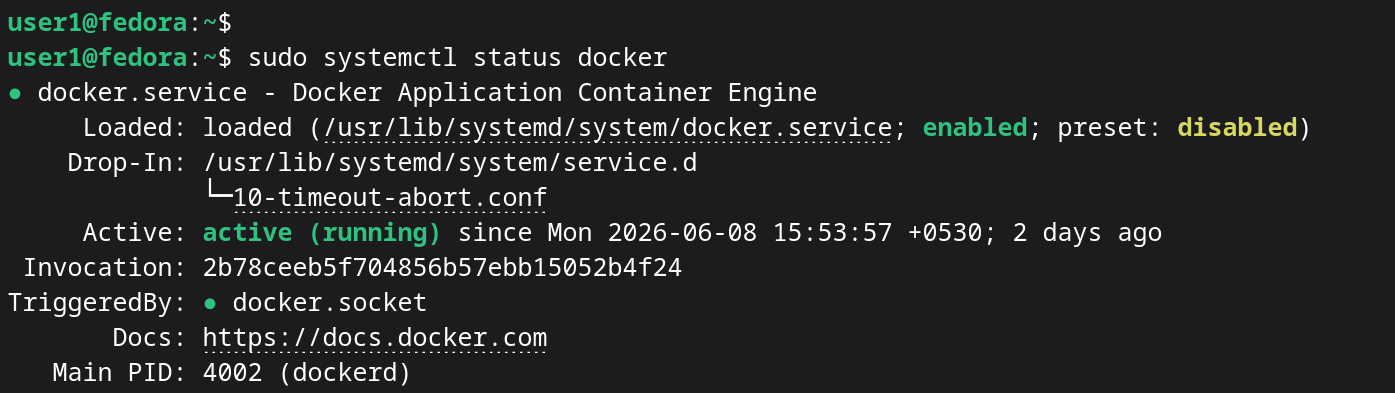
If you see disabled, you can enable Docker to start at boot using:
sudo systemctl enable dockerYou can also start and stop the Docker service manually:
sudo systemctl start docker
sudo systemctl stop docker
sudo systemctl restart docker
Configure Docker to Run Without sudo on Fedora 44
By default, you need to use sudo to run Docker commands. Without it, you'll get a permission denied error. To run the docker command without sudo, you need to add your user to the docker group.
Add Your User to the Docker Group
Use the gpasswd command to add your user to the docker group:
sudo gpasswd -a username docker- Replace
usernamewith your actual username. - After running this command, restart your computer.
After the restart, run the groups command to check your group membership. If you see docker in the list, you can now run Docker commands without sudo on Fedora 44.
Run a Test Container to Verify the Setup
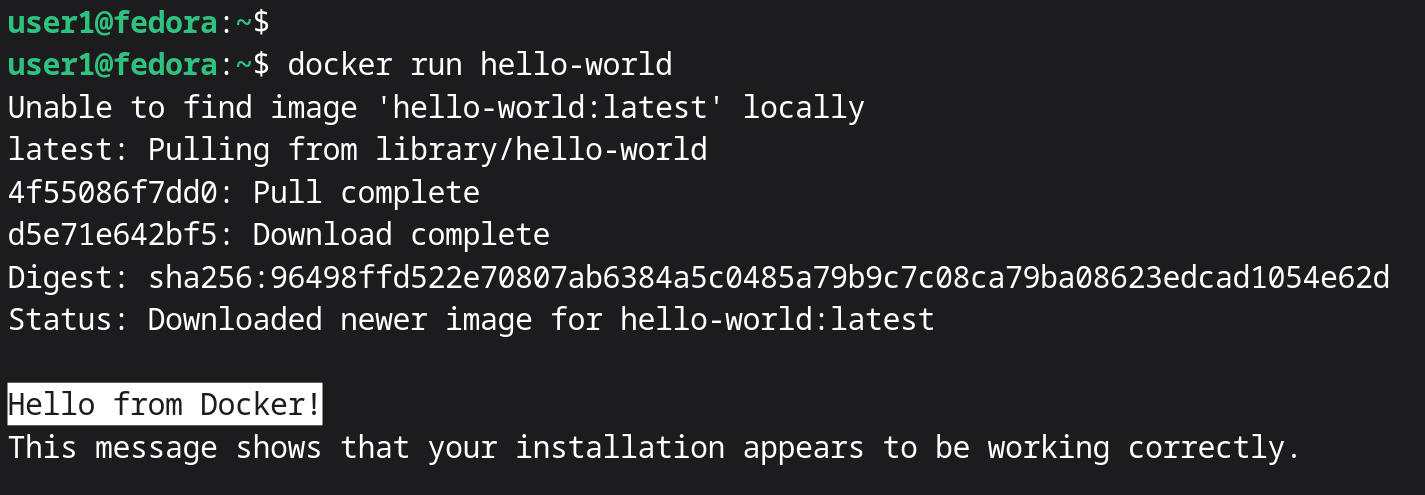
Let's run a test container to confirm everything is working. Run the following command:
docker run hello-worldIf you see the message "Hello from Docker", your Docker installation on Fedora 44 is working correctly.
Next Steps
You have successfully installed Docker Engine on Fedora 44, configured Docker to run without sudo, and verified the installation using the hello-world test container.
Docker is now ready to use for creating and managing containers on your Fedora 44 system.
If you want to learn more about how to manage containers using the docker run command, watch our video tutorial on the Docker run command: https://youtu.be/Eg5pDEwULNU