Fix: Duplicate Google Chrome Icons After Update (Linux/Ubuntu/Fedora/Arch)
With the latest Google Chrome upgrade, you might see two desktop icons in your dock or app menu. This is a common issue, but there is a fix for this, and it will work in all Linux distributions.
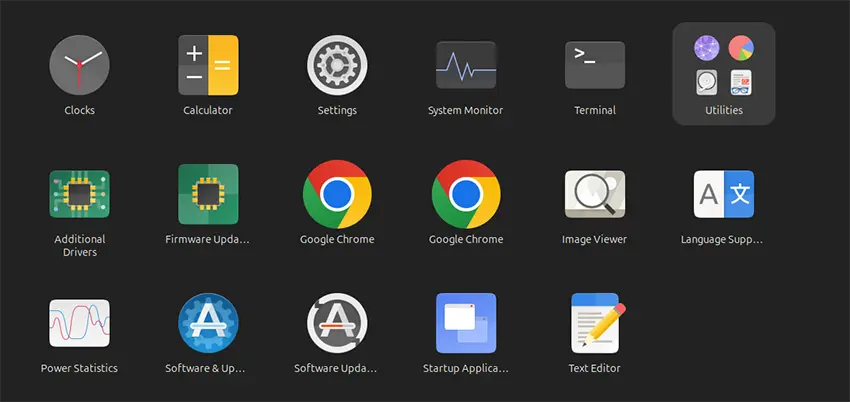
Why are there two Chrome icons?
The reason for the two icons is that with the latest update, Chrome created a new desktop file called com.google.Chrome.desktop. However, it also kept the old desktop file, google-chrome.desktop. It likely did not remove the old one for compatibility reasons.
Step-by-Step Fix
To get rid of the duplicate icon, you need to modify the launcher files.
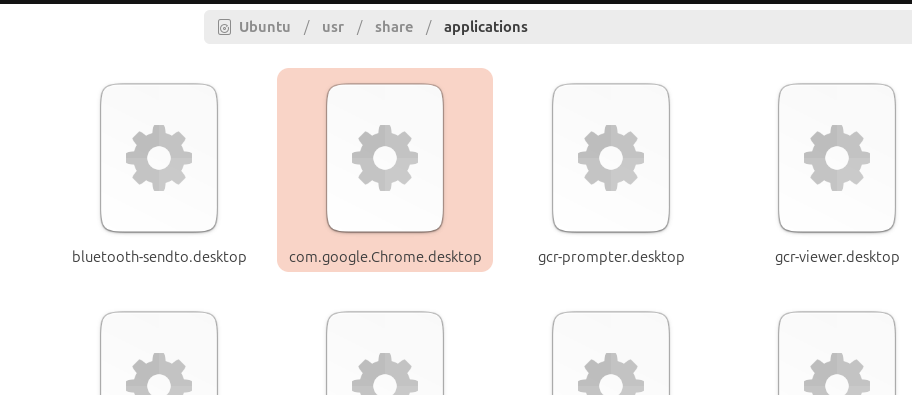
- Navigate to the Applications folder: Open your File Manager and move to this location:
/usr/share/applications/ - Locate the new launcher file: Find the file named
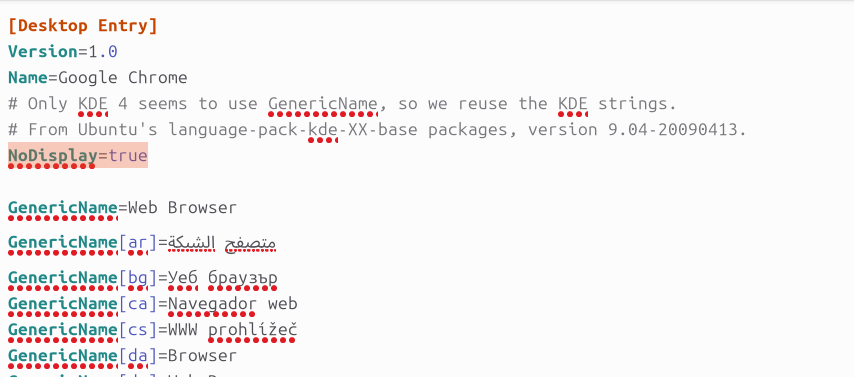
com.google.Chrome.desktop. - Edit the file: Open this file. If you move to the end of the file, you will see a line called:
NoDisplay=true - Modify the Desktop Entry section: Copy the
NoDisplay=trueline and add it to the[Desktop Entry]section. Right now, it may not be in that specific section. Add it at the end of the[Desktop Entry]block. - Save and Refresh: Save the file. This should fix the issue immediately.
The Result
If you go back to your applications menu, you will now only see one launch icon. This solution should work on other Linux distributions as well, as you will find this new launcher file in the same /usr/share/applications/ folder.